
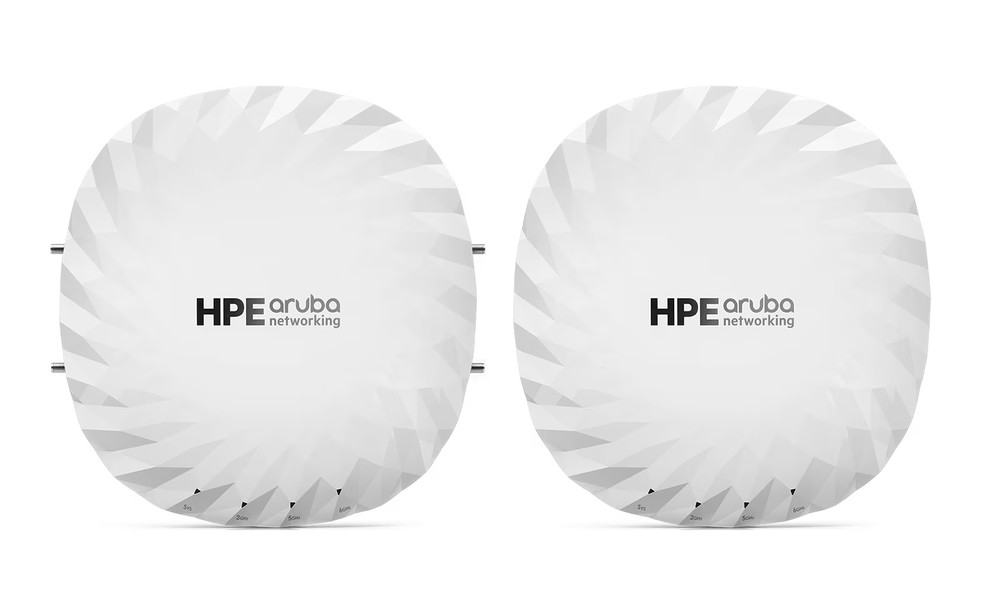
In an era where organizations increasingly rely on high-speed internet connectivity and network stability, adopting next-generation technologies like Wi-Fi 6E has become a strategic necessity. The Aruba AP615 (RW) Campus is specifically engineered to meet these enterprise demands, offering superior speed, ultra-low latency, and the capacity to handle high-density client environments simultaneously.
However, hardware deployment alone does not guarantee peak performance. Without meticulous planning and precise configuration, the full potential of the system remains untapped. To achieve a seamless, stable, and future-proof Wi-Fi 6E expansion, understanding the correct implementation techniques is vital. Here are 9 essential strategies to elevate your network performance.
9 Optimization Techniques for Aruba AP615 (RW) Campus Wi-Fi 6E
1. Conduct a Comprehensive Site Survey
Before installing the Aruba AP615 (RW) Campus, a professional Site Survey is the most critical step to define your “actual network architecture.” This involves collecting detailed data on building floor plans and construction materials-such as concrete, glass, or metal-which significantly affect signal penetration. Additionally, measuring existing RF interference and identifying peak user density areas allows for a precise calculation of the required number of Access Points (APs). Proper mapping prevents dead zones and signal overlaps that lead to instability.
2. Strategic Placement for Optimal Coverage
Physical positioning directly impacts signal integrity. Since Wi-Fi 6E utilizes the 6 GHz band, which has a shorter range than the 2.4 GHz and 5 GHz bands, APs should be ceiling-mounted in the center of the usage area. This ensures balanced, omni-directional signal distribution. Avoid placing APs near signal-absorbing objects like reinforced concrete walls or near sources of electromagnetic interference, such as electrical motors, to maintain a high Signal-to-Noise Ratio (SNR).
3. Efficient 6 GHz Band Management
The standout feature of the Aruba AP615 is its support for the 6 GHz spectrum, which offers numerous non-overlapping channels. To utilize this effectively, IT administrators should consider dedicated SSIDs for 6E-compatible devices. This ensures that high-priority applications-such as video conferencing and cloud-based enterprise software-benefit from the clean, congestion-free spectrum, resulting in significantly lower latency.
4. Enable Band Steering
Band Steering is an automated mechanism that organizes client connections. The system detects the capabilities of each device and proactively steers compatible clients toward the 5 GHz or 6 GHz bands, leaving the 2.4 GHz band for legacy devices. This reduces the load on lower frequencies, increases the overall throughput of the AP, and ensures users receive the best possible speed without manual configuration.
5. Advanced Channel Planning
In multi-AP environments, Channel Planning is essential to prevent Co-channel Interference (CCI). If nearby APs operate on the same channel, it results in packet loss and increased latency. Utilizing Aruba’s Auto RF Optimization or a centralized controller allows for automated channel assignment. Furthermore, adjusting channel widths (20/40/80 MHz) based on user density helps strike a perfect balance between high-speed data transfer and network reliability.
6. Implement Seamless Roaming
For large-scale offices or multi-story buildings, configuring the Aruba AP615 in a roaming or mesh fabric is essential for mobility. Seamless Roaming allows clients to transition between APs automatically as they move through the building without disconnecting. This is particularly vital for real-time applications like VoIP calls or ERP system sessions that require constant, uninterrupted connectivity.
7. Centralized Management via Cloud or Controller
Managing your infrastructure through a centralized platform like Aruba Central (Cloud) or a local controller provides a single pane of glass for the entire network. IT teams can monitor device health, analyze traffic patterns, and perform bulk configurations or firmware updates remotely. This centralized visibility reduces the burden on IT staff and allows for rapid troubleshooting at the enterprise level.
8. Quality of Service (QoS) Prioritization
QoS configuration ensures that mission-critical traffic receives the necessary bandwidth. By prioritizing applications such as Zoom, Microsoft Teams, or SAP over general web browsing or large file downloads, the organization can maintain operational continuity. This prevents “bandwidth hogging” and ensures that the most important business processes remain smooth even during peak usage hours.
9. Regular Firmware Updates and System Monitoring
Maintaining the firmware of the Aruba AP615 (RW) Campus is necessary for both security and performance. New firmware releases often include RF performance enhancements, bug fixes, and critical security patches. Continuous monitoring of CPU load, memory usage, and client density allows administrators to identify and resolve potential bottlenecks before they affect the end-user experience.
The Aruba AP615 (RW) Campus is a powerhouse for enterprise-grade Wi-Fi 6E, but achieving a truly “fast and stable” network requires professional planning and strategic configuration. By combining industry-leading hardware with these 9 techniques, your organization can build a robust digital foundation for the future.
For expert consultation or a customized network design tailored to your business needs, contact the specialists at Quickserv. We provide end-to-end solutions that guarantee both performance and long-term value.